 Founding Member pre-sale now open
Your daily planner,
beautifully organized,
with early-member pricing
Most people plan in one app and track in another — and still end up losing the thread. Aida puts your actions, calendar events, and time blocks into one view so you always know what your day actually looks like. Join as a Founding Member to get in early, influence what ships next, and lock in the best available pricing before the next tier opens.
Limited spots per tier. Pricing increases as each batch fills. Pre-order until May 15
Everything you need to plan your day
Aida combines powerful features with a clean, intuitive interface designed to help you stay focused and organized.
Quick Action Capture
Capture actions in a natural way and turn them into clear plans with dates and times.
Unified Planner
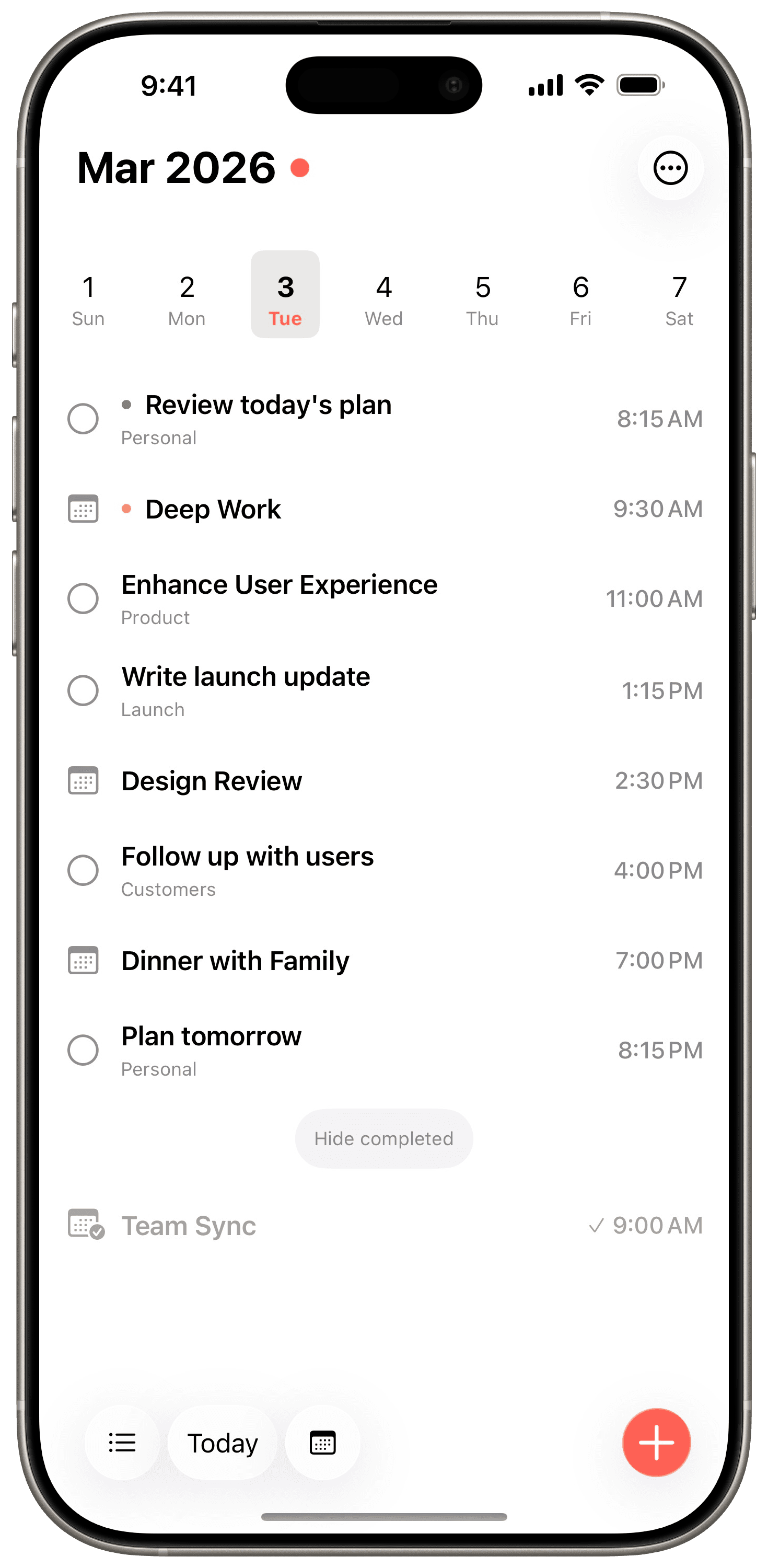
See your actions, calendar events, and time blocks together in one daily view. Everything you need, at a glance.
Smart Projects
Organize with Inbox, Anytime, and Someday lists, plus custom projects. A GTD-inspired system that adapts to your workflow.
Calendar Integration
Seamlessly syncs with your device calendars. See events alongside actions without switching apps.
Batch Operations
Select multiple actions to complete, reschedule, move, or duplicate. Time-shift entire blocks with a quick scrubber.
iCloud Sync
Your data syncs seamlessly across all your devices via iCloud. Fully optional — works great offline too.
Two views, because your work lives in two dimensions
Sometimes you need to see your day — what's happening and when. Sometimes you need to see your work — what belongs where. Most apps give you one. Aida gives you both, and you switch based on how you're thinking right now.
Your day, beautifully organized
See actions, calendar events, and time blocks together on a daily timeline. Scroll through your week with the mini calendar and tap to jump to any date.
- Actions, events, and time blocks in one timeline
- Weekly calendar strip for quick navigation
- Pull to reveal quick actions and shortcuts
- Auto-complete events when they pass
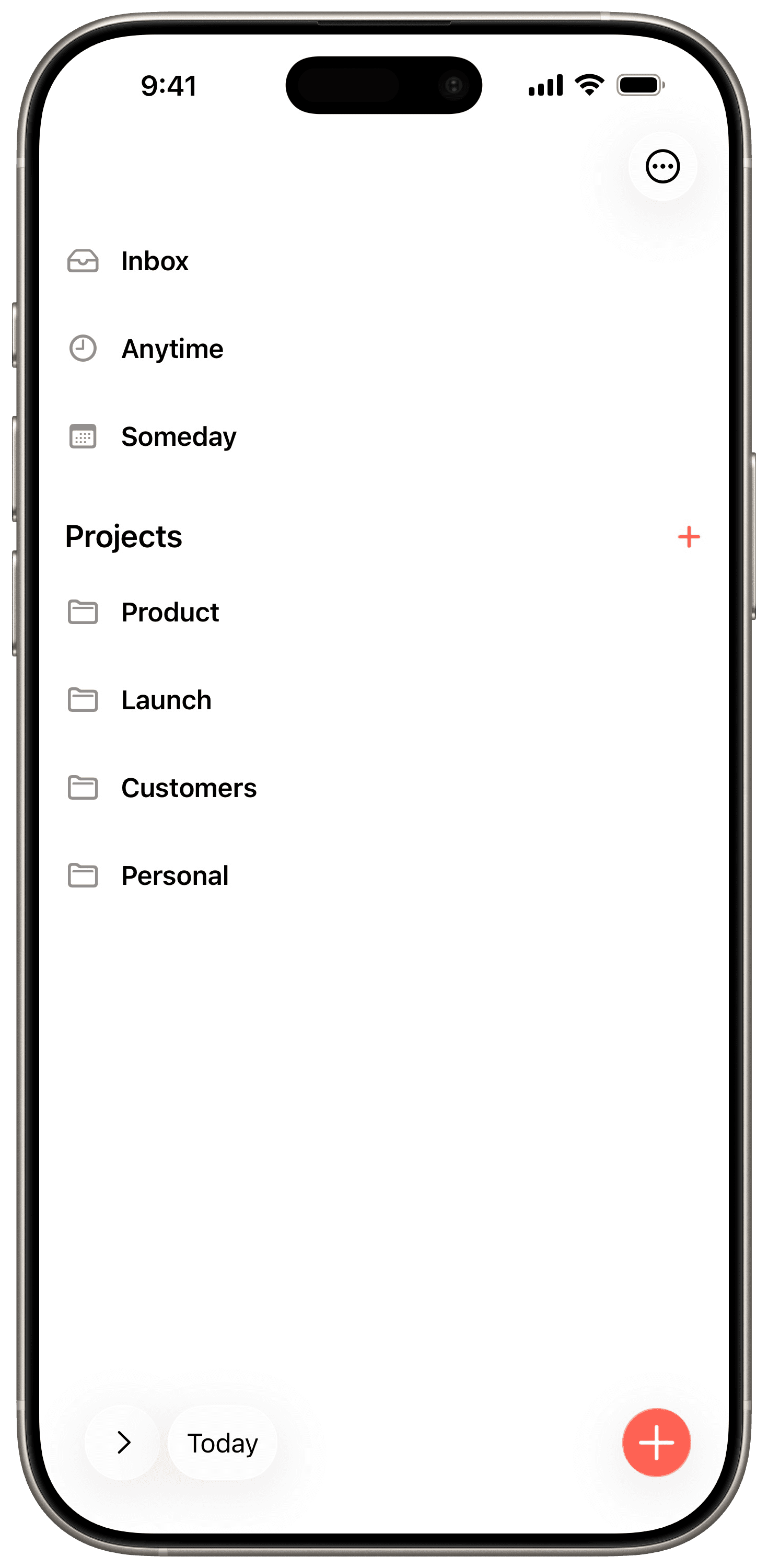
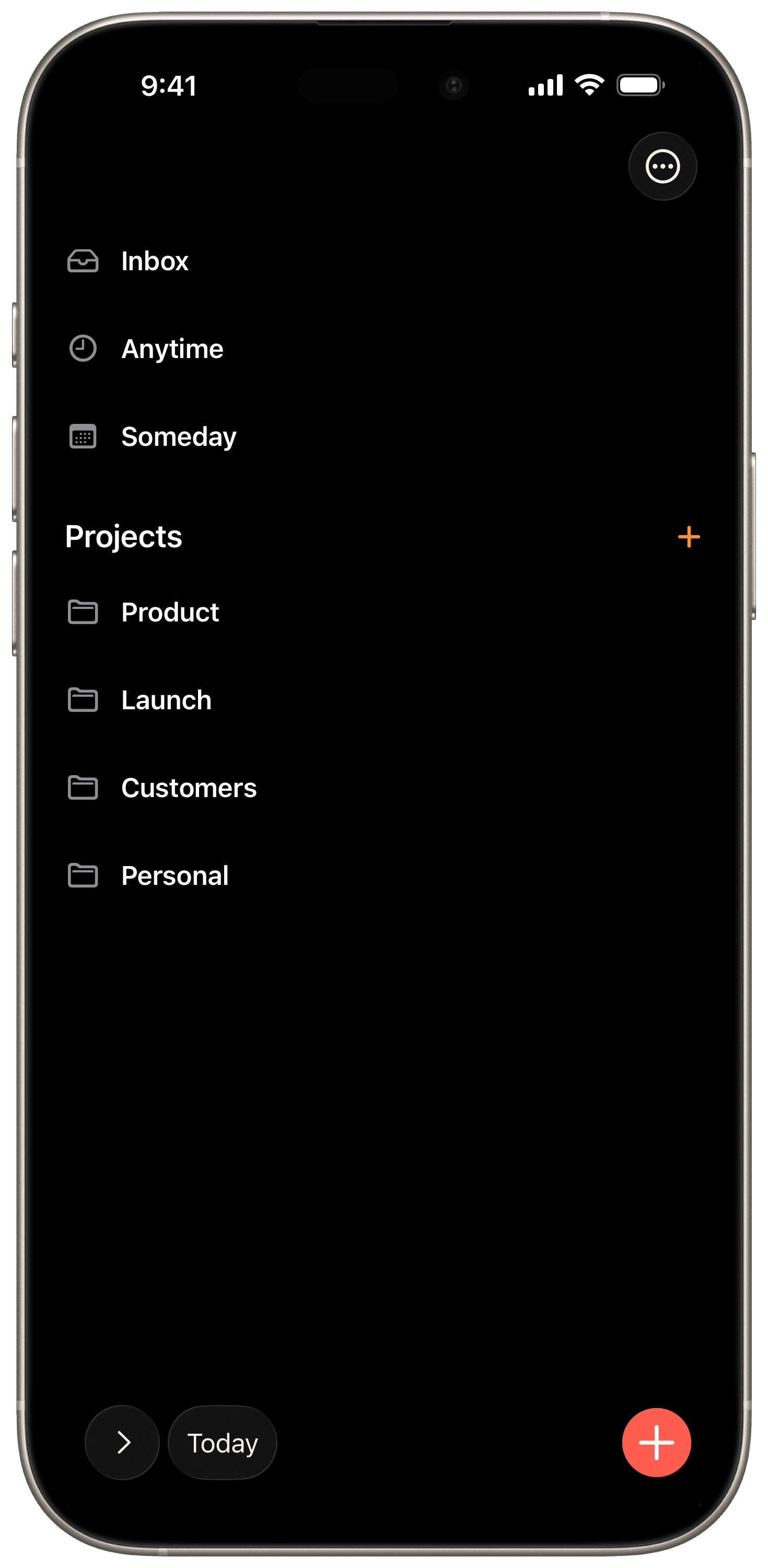
Organize by context, not just date
Group actions into projects and smart lists inspired by the GTD methodology. Inbox captures everything, then you decide when and where each action belongs.
- Inbox, Anytime, and Someday smart lists
- Custom projects with color coding
- Drag and drop to reorder actions
- Batch operations for quick triage
Every detail in a sheet — your planner stays in view
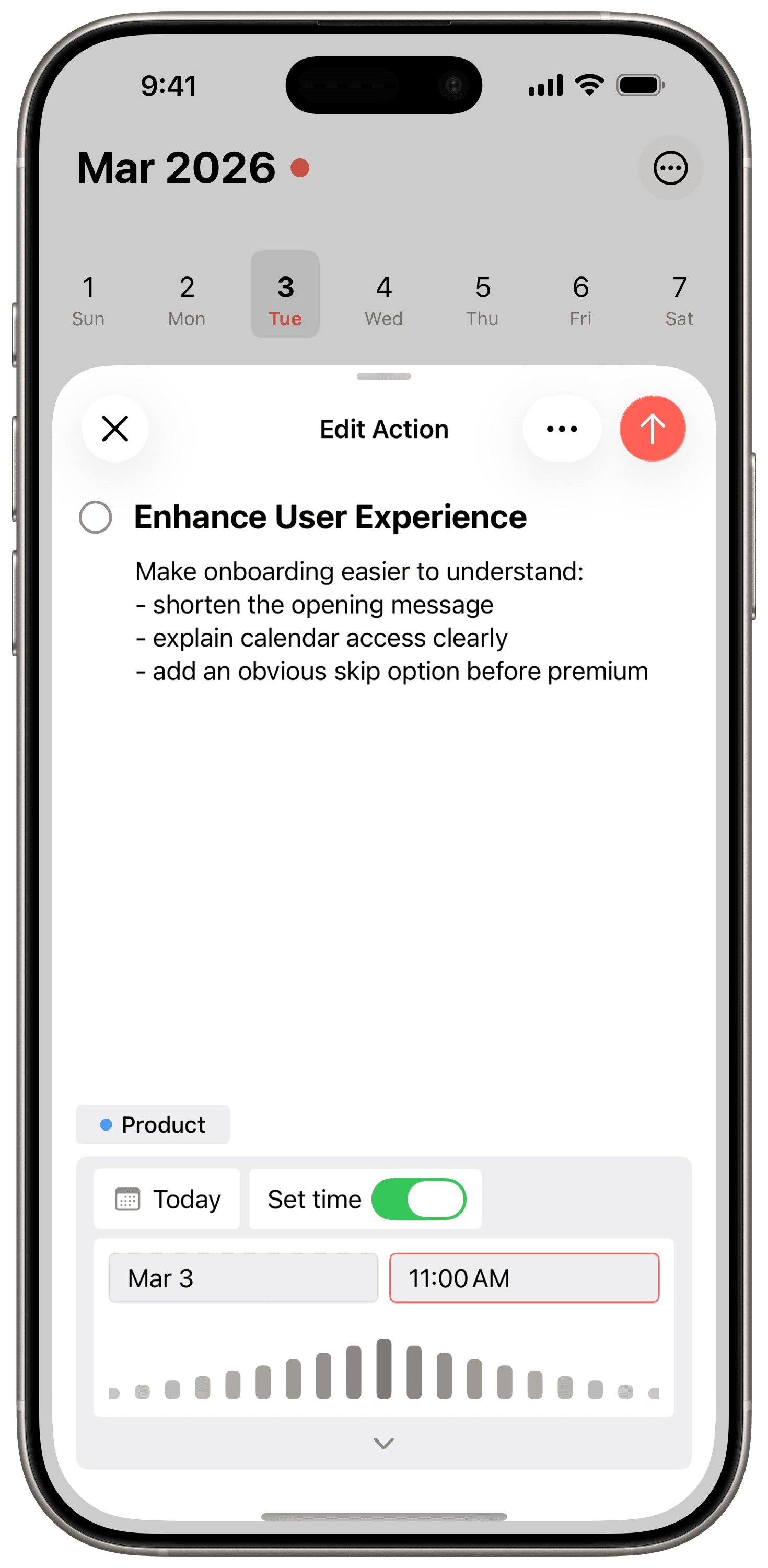
Most apps navigate you away from your day when you tap an action. Aida opens a focused editing sheet instead — so you can refine the title, add notes, assign a project, and set a time without losing your place in the planner.
Keep the action and its notes together
The detail view shows the full item title and supporting notes in one focused editing space.
Assign it to the right project
You can see the project tag directly in the sheet, so each item stays connected to its context.
Set the exact day and time
Date and time controls sit right below the action, making it easy to schedule the work without leaving the screen.
Join early, shape the roadmap, and lock in the best pricing before it rises
Founding Members get the earliest access, direct feedback loops with the product, and the lowest available pricing before later tiers open.
Current progress
Early members are joining when the product is already tangible, not just an idea.
Planner Mode, Project Mode, and Action Detail are already designed and working.
Calendar integration, batch actions, and iCloud sync are part of the core product direction.
Founding Members get a direct line to shape what ships next — from workflow details to new features.
The offer gets less favorable as each batch fills. Joining earlier means better pricing and more influence on what ships next.
How the founding tiers work
There are 5 tiers with 10 spots each. The current tier shows its price openly — the next tier only reveals its price when this one sells out, and each new tier costs more.
Tier 1
Slots 1-10
Current tier price
$19
Best available priceThe very first founding batch gets the best available rate and earliest access.
3 / 10 claimed
Not ready to commit yet? You can follow the build journey and launch updates in the next section.
Substack
Follow the build in public
Get product progress, launch notes, and the next release announcements without leaving the page.
Private by design, native by nature
Aida is built with your privacy and experience as the top priorities. Everything runs locally on your device.
Private by Design
Your actions and plans stay on your device, so your information remains private.
Beautiful Dark Mode
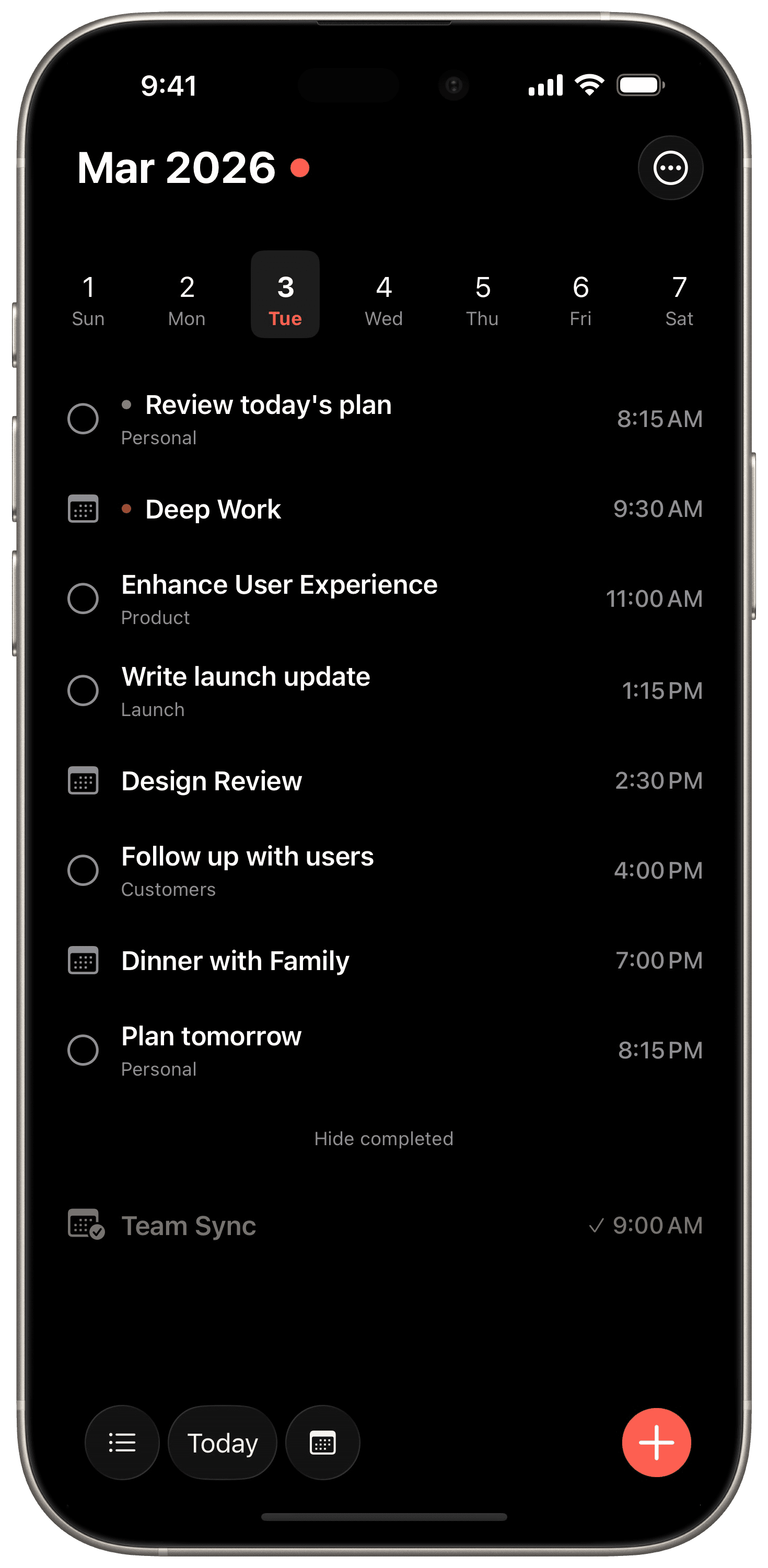
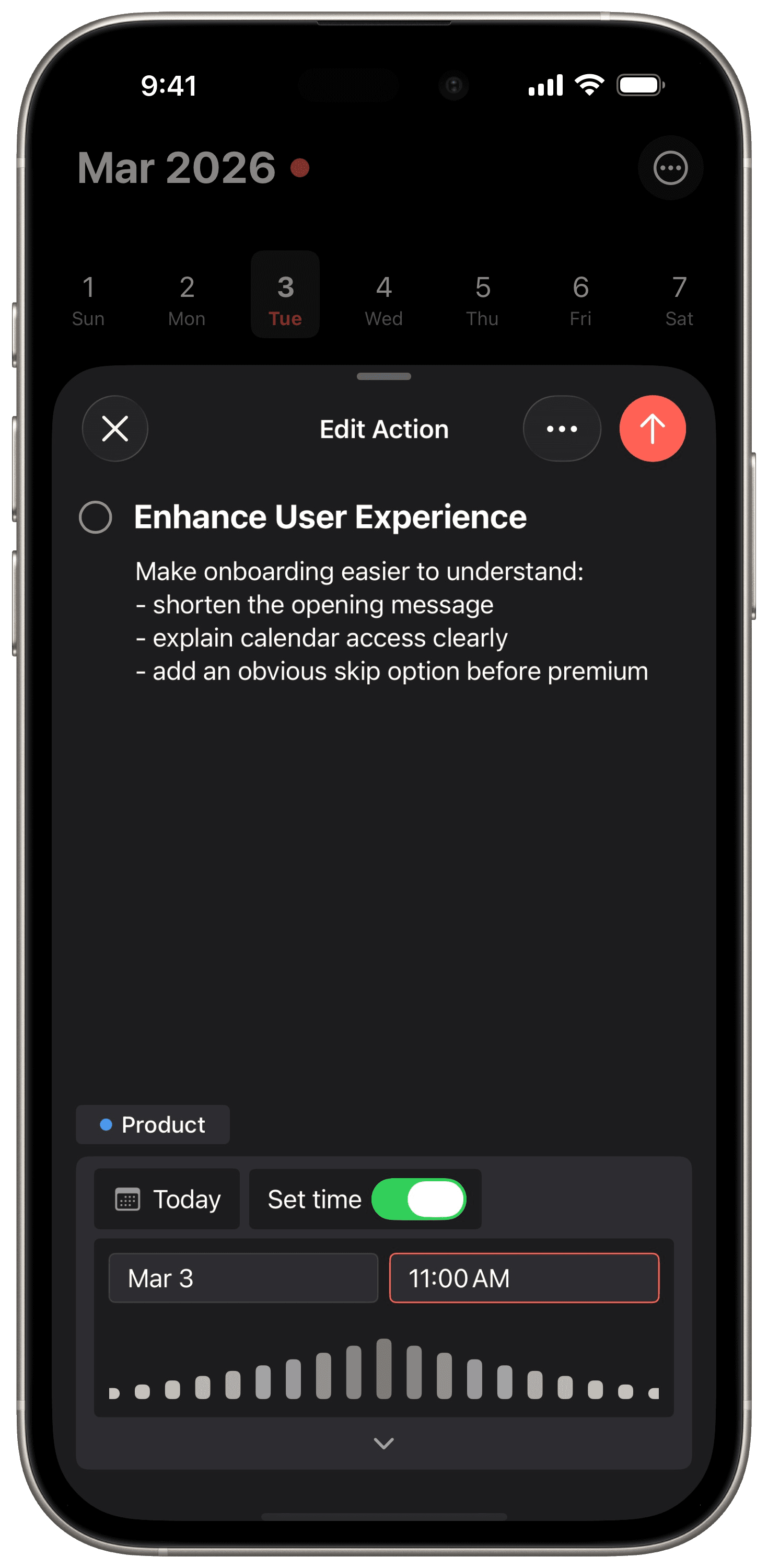
Aida adapts seamlessly to your system appearance with carefully crafted light and dark themes.
Built with SwiftUI
A native iOS experience from the ground up. Smooth animations, fast performance, and deep system integration.
About Aida Daily Planner
Aida Daily Planner is a native iOS app that combines actions (tasks), calendar events, and time blocks into a single unified daily view. Instead of switching between a separate to-do app and a calendar, Aida merges everything into one timeline so you always know what your day actually looks like.
The app offers two complementary viewing modes. Planner Mode shows your day as a chronological timeline with actions, events, and time blocks interleaved by time. Project Mode organizes your actions by context using a system inspired by Getting Things Done (GTD), with Inbox, Anytime, and Someday smart lists plus custom color-coded projects.
Aida is built with SwiftUI for a responsive native iPhone experience. All data is stored locally in an encrypted SQLite database. There is no analytics, no tracking, and no external servers. Optional iCloud sync via Apple CloudKit lets you keep devices in sync while Apple handles the encryption. Aida Pro is available as an in-app subscription for additional features.
Frequently asked questions
Everything you need to know about Aida Daily Planner.
- What is Aida Daily Planner?
- Aida is a native iOS daily planner app that combines actions (tasks), calendar events, and time blocks into a single unified view. Instead of switching between a to-do app and a calendar, Aida merges everything into one daily timeline so you always know what your day looks like.
- How is Aida different from other planner apps?
- Unlike task managers such as Todoist or Things 3, Aida treats calendar events and actions as equal first-class items on a shared timeline. Unlike calendar apps such as Fantastical, Aida includes full task management with projects and GTD-inspired workflows. Aida occupies the space between these categories by combining them into one focused daily view.
- Is Aida free to use?
- Aida offers a free tier with core planning features. Aida Pro is available as an in-app subscription for additional capabilities. A Founding Member pre-sale is currently open with tiered pricing — earlier members lock in lower lifetime rates.
- Does Aida collect my data?
- No. Aida is private by design. All your data stays on your device in an encrypted SQLite database. There is no analytics, no tracking, and no external servers. If you enable iCloud sync, your data is encrypted by Apple via CloudKit — Aida never has access to it.
- What platforms does Aida support?
- Aida is currently available for iPhone. It is built natively with SwiftUI for a smooth, responsive experience with deep iOS system integration. The app syncs across devices via optional iCloud sync.
- What is time blocking in Aida?
- Time blocking in Aida lets you reserve specific time slots in your daily planner for focused work. Time blocks appear alongside your calendar events and actions on the unified timeline, so you can see exactly how your day is structured and where your free time is.
- Does Aida integrate with my calendar?
- Yes. Aida reads your device calendars via Apple's EventKit framework (with your permission) and displays calendar events alongside your actions and time blocks on the daily timeline. You don't need to switch between apps to see your full schedule.
- What is the GTD system in Aida?
- Aida uses a project organization system inspired by Getting Things Done (GTD). It includes Inbox for capturing new actions, Anytime for actions you can do whenever, and Someday for ideas you want to revisit later. You can also create custom projects with color coding to organize actions by context.

Claim Tier 1 pricing before the next tier opens
Join the pre-sale to get the earliest offer, direct access to the roadmap, and priority as the founding member spots fill up.
Tiered pricing means the first group gets the strongest offer, and each later batch pays more.